
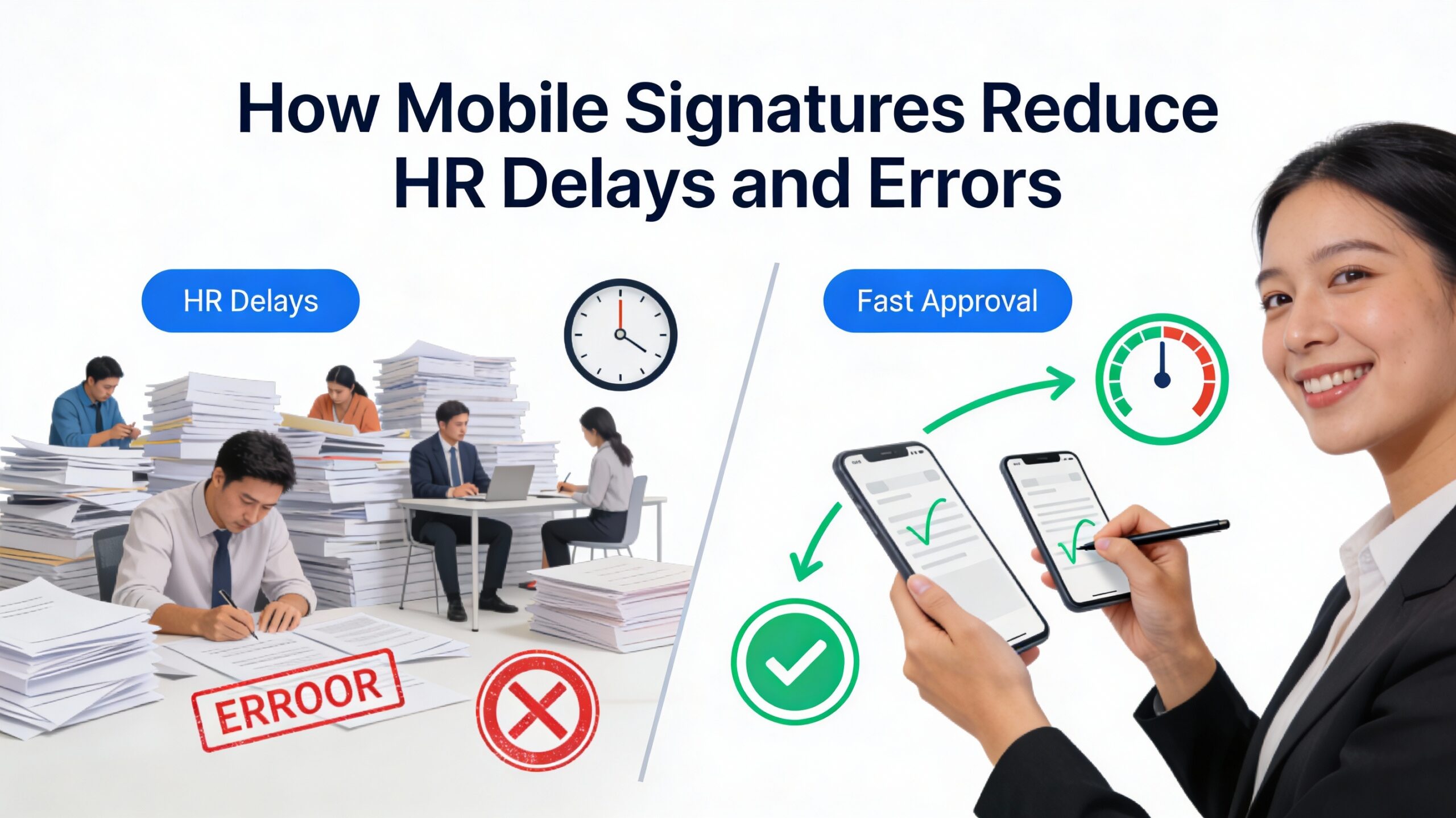
In today’s fast-moving work environment, HR teams are expected to operate faster, smarter, and with zero error. Yet many organizations still rely on traditional, paper-based processes for approvals and document signing. Printing documents, scanning signed pages, sending emails back and forth, and following up with employees often cause unnecessary delays and costly mistakes.
This is where mobile signatures are transforming the way HR works. By allowing employees and managers to sign documents directly from their mobile phones, HR departments can significantly reduce delays, eliminate errors, and improve overall efficiency.
This guide explores how mobile signatures work, why traditional signing methods slow HR down, and how mobile digital signatures help create faster, error-free HR operations.
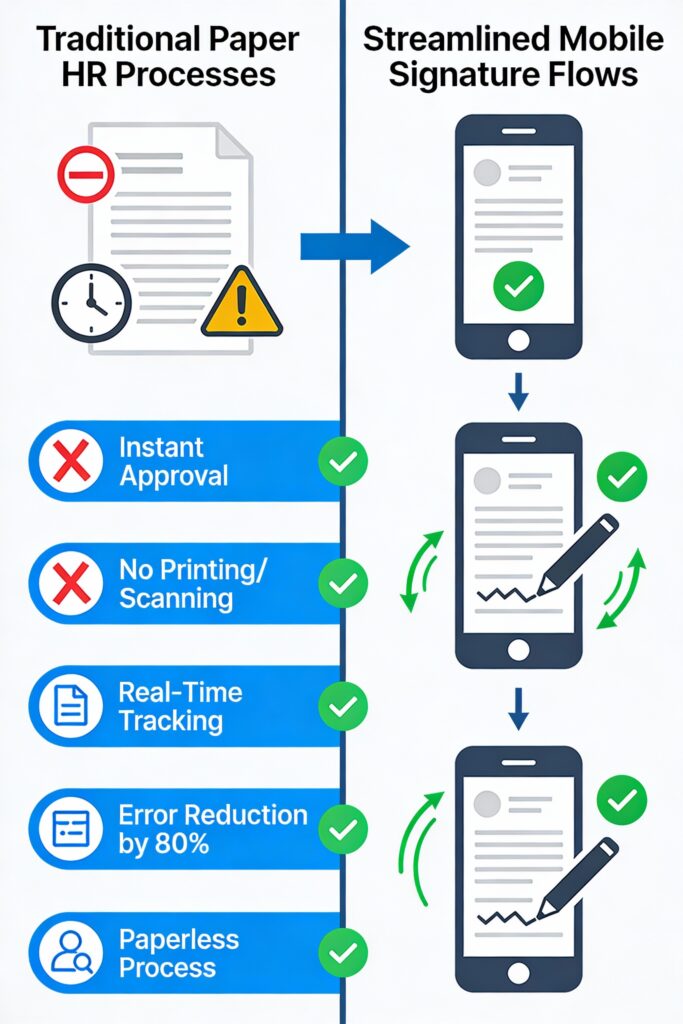
The Problem with Traditional HR Document Signing
HR teams handle a wide range of documents every day, including:
- Offer letters
- Employment contracts
- Company policies
- Compliance forms
- Performance letters
- Salary revisions
- Acknowledgement documents
When these documents rely on physical or semi-digital processes, several problems arise.
Common Challenges in Traditional Signing
- Documents get stuck waiting for signatures
- Employees forget to sign or delay responses
- Multiple versions of the same document circulate
- Scanning and uploading errors occur
- HR teams spend hours following up
- Signed documents get misplaced or lost
These issues not only slow down HR operations but also increase the risk of compliance gaps and record-keeping errors.
What Are Mobile Signatures?
Mobile signatures allow employees to sign HR documents digitally using their smartphones. Instead of printing or scanning, the document is sent through a secure system where the employee can review, sign, and submit it instantly.
Mobile signatures are commonly used for:
- HR policy acknowledgements
- Employment letters
- Internal approvals
- Compliance confirmations
- Official HR communications
They are designed to be secure, auditable, and easy to use—even for non-technical employees.
How HR Delays Happen Without Mobile Signatures
Before understanding the benefits, it’s important to see where delays usually occur.
1. Waiting for Physical Presence
Employees may be on leave, working remotely, or in different locations. Physical signatures require everyone to be present, which slows down approvals.
2. Manual Follow-Ups
HR teams often need to remind employees multiple times to print, sign, scan, and resend documents.
3. Document Rework
If a page is missed, scanned incorrectly, or signed in the wrong place, the entire process starts again.
4. Approval Bottlenecks
Managers may delay signing documents because they are busy or away from their desks.
5. Record-Keeping Delays
Once signed, documents still need to be saved, renamed, organized, and stored correctly.
How Mobile Signatures Reduce HR Delays
Mobile signatures remove these bottlenecks by digitizing the entire signing process.
1. Instant Document Delivery
HR can send documents instantly to employees’ mobile devices. There is no waiting for printing or physical delivery.
2. Sign Anytime, Anywhere
Employees can sign documents from their phones—whether they are at home, on the field, or traveling.
3. One-Tap Signing Experience
Mobile signatures are designed to be simple. Employees review the document and sign with just a few taps.
4. Automated Notifications & Reminders
Digital systems automatically notify employees and managers when a signature is required.
5. Faster Onboarding & HR Cycles
Offer letters, joining documents, and policies can be signed before the employee’s first day.
How Mobile Signatures Reduce HR Errors
Delays are only one side of the problem. Errors can be even more damaging—especially when it comes to compliance and audits.
1. Eliminates Manual Handling Errors
No scanning, renaming, or manual uploading means fewer chances of mistakes.
2. Ensures Correct Document Versions
Mobile signature systems ensure employees always sign the latest approved version of a document.
3. Mandatory Fields Prevent Incomplete Signing
Digital documents can enforce mandatory fields, ensuring signatures are not missed.
4. Clear Audit Trails
Every action—sent, viewed, signed—is logged with timestamps.
5. Centralized Document Storage
Signed documents are automatically stored in one secure system.
Impact on HR Productivity
Mobile signatures don’t just improve document handling—they change how HR teams work.
Less Administrative Work
HR teams spend less time on paperwork and more time on people management.
Faster Decision-Making
Approvals happen quickly, enabling faster hiring, promotions, and policy rollouts.
Improved Compliance Confidence
Clear digital records help HR stay audit-ready at all times.
Better Employee Experience
Employees appreciate simple, fast, and paperless processes.
Mobile Signatures in Remote & Distributed Workforces
With remote and hybrid work becoming common, mobile signatures are no longer optional.
They enable HR teams to:
- Manage documentation across locations
- Support field staff and remote employees
- Maintain consistency across branches
- Avoid delays caused by distance
For organizations with multiple offices or on-ground teams, mobile signatures ensure everyone stays connected to HR processes.
Security & Compliance Considerations
Modern mobile signature systems are designed with security in mind.
Key security benefits include:
- Encrypted document storage
- Secure user authentication
- Access control and permissions
- Time-stamped audit logs
- Tamper-proof records
These features make mobile signatures safer than traditional paper documents, which can be easily lost or altered.
Use Cases Where Mobile Signatures Make a Big Difference
Mobile signatures are especially useful for:
- Policy acknowledgements
- Offer letter acceptance
- Salary revision approvals
- HR letters and notices
- Compliance documentation
- Internal approvals
In all these cases, speed, accuracy, and traceability are critical.
The Future of HR Documentation Is Mobile
As HR moves toward automation and digital transformation, mobile signatures are becoming a core part of modern workforce management systems.
Organizations that adopt mobile-first HR tools benefit from:
- Faster HR operations
- Reduced compliance risk
- Lower administrative costs
- Better employee satisfaction
Mobile signatures are no longer just a convenience—they are a strategic advantage.
Conclusion
HR delays and errors often stem from outdated document signing processes. Mobile signatures solve this problem by making HR documentation faster, simpler, and more accurate. By allowing employees to sign documents directly from their phones, organizations can eliminate paperwork, reduce follow-ups, and maintain clear, reliable records.
A modern workforce management platform like MOM Digital integrates mobile signature functionality directly into HR workflows, helping businesses move toward paperless operations, faster approvals, and error-free documentation—all from a single system.
By embracing mobile signatures, HR teams can focus less on paperwork and more on building strong, productive teams.
На представленном веб-сайте можно обнаружить обилие нужной сведений.
На страницах сайта содержатся заметки и рекомендации для любого интерес.
Читатель имеете возможность изучить как широкую базу, также узкопрофильные разработки.
Представленный портал пригодится экспертам в их работе.
https://e-transavto.ru/read/sezonnye-kollektsii-letnie-i-zimnie-sneakers-ot-dolceandgabbana-223/
Помимо этого на сайте постоянно выкладываются свежие обновления.
Рекомендуем подробно ознакомиться с собранную здесь информацию.
Следовательно, этот сайт представляет собой полезным местом сведений.
На этом ресурсе вы сможете найти много нужной материалов.
https://relax-spb.ru/read-info/3255-hailey-jean-novaya-kapsulnaya-kollektsiya-denima-ot-kheyli-biber-i-gap.html
Virtual titles bring participants the superb chance to interact and unwind with people internationally.
https://www.myminifactory.com/users/IvanBabak2026